HomeFeatures
The tools · arriving 2026Everything the song needs. Nothing it doesn’t.
Every screenshot on this page is the real product — a songwriting workspace with lyric and chord charts, co-writing, and a writer’s side panel; studio sessions with versioned mixes, time-coded review, and delivery pages worth the record; and a front office that books the room, tracks the hours, and sends the invoice. Here’s the tour, desk first.
At the desk
The LibraryA chart when you need structure. A page when you don’t.
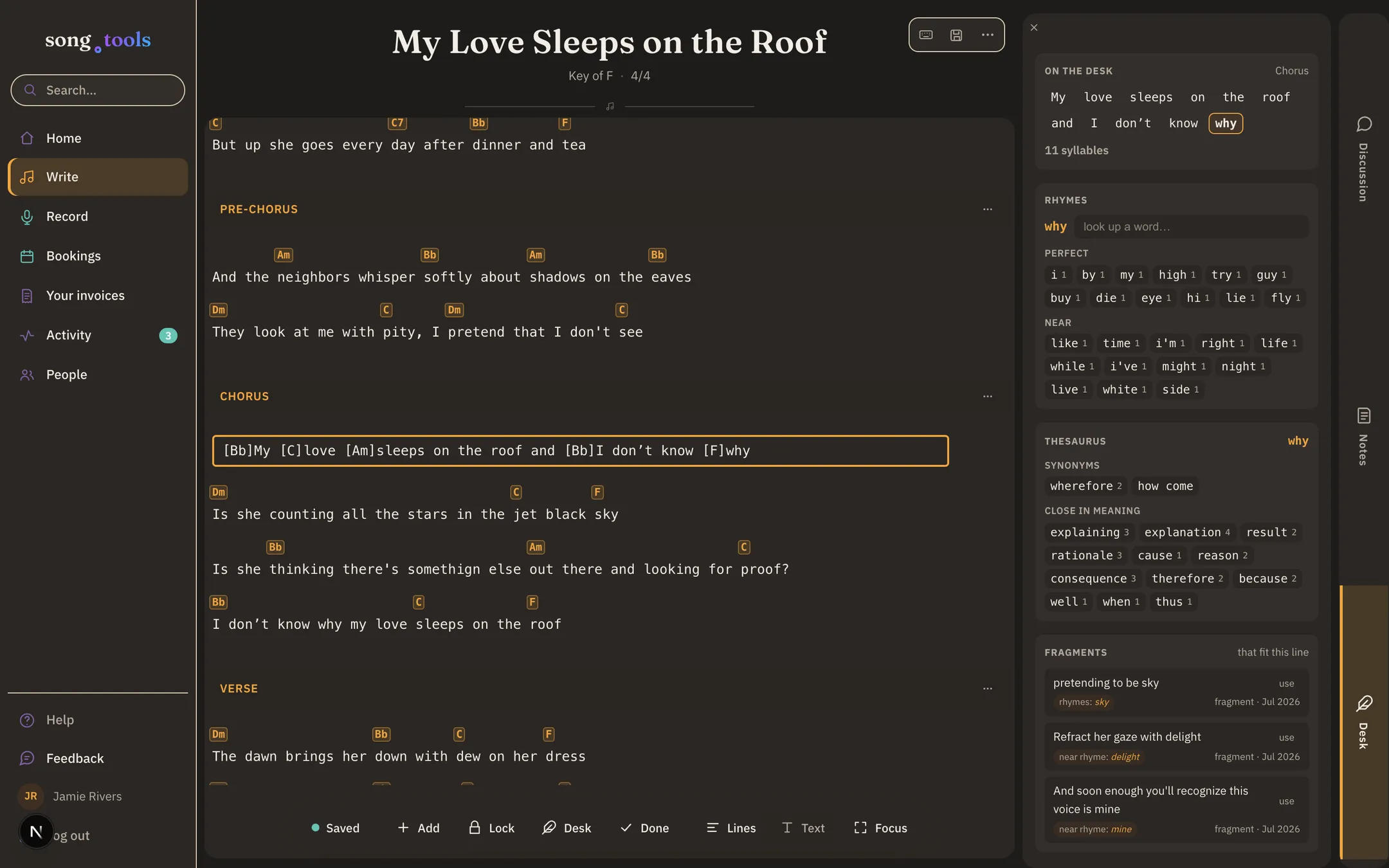
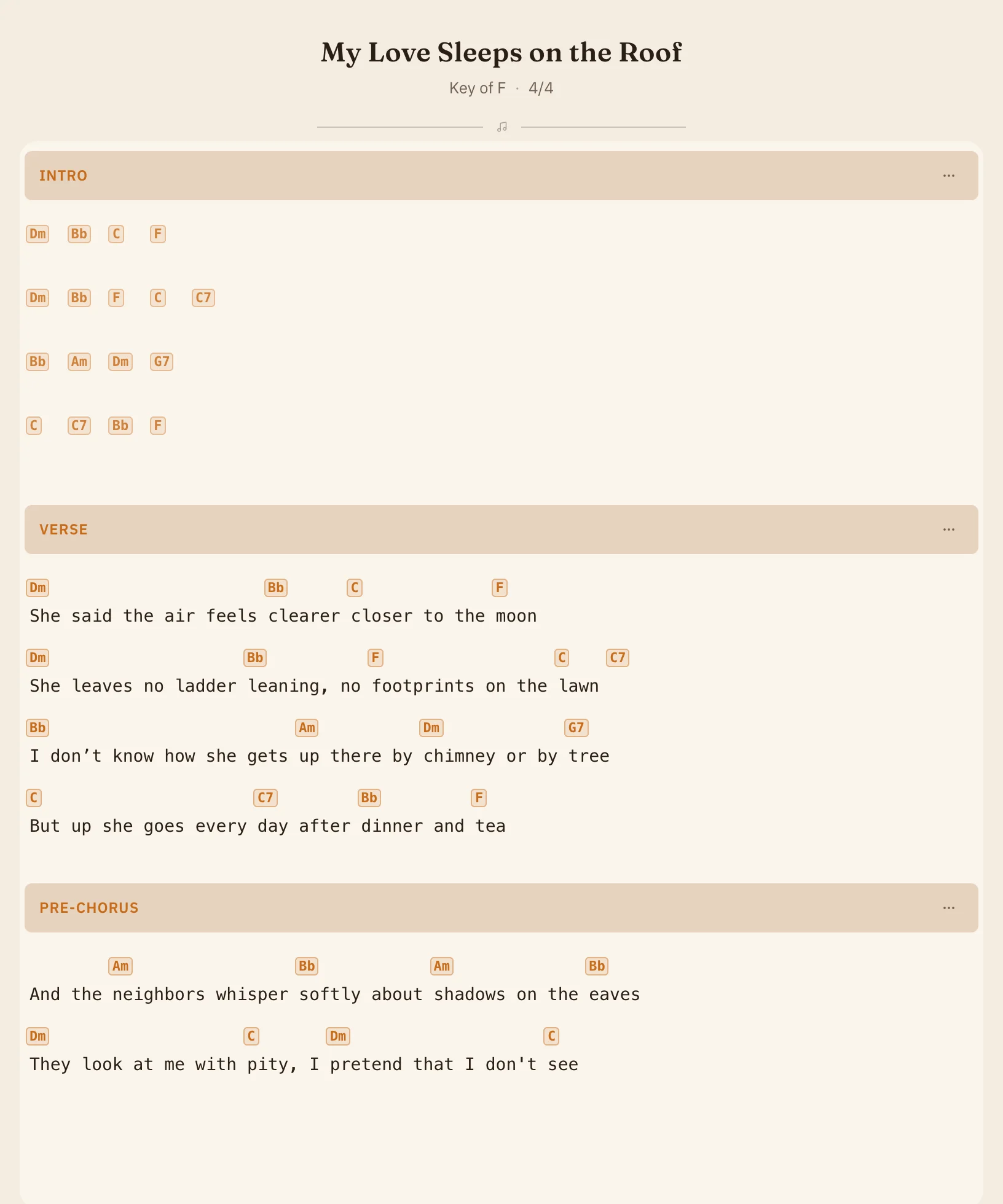
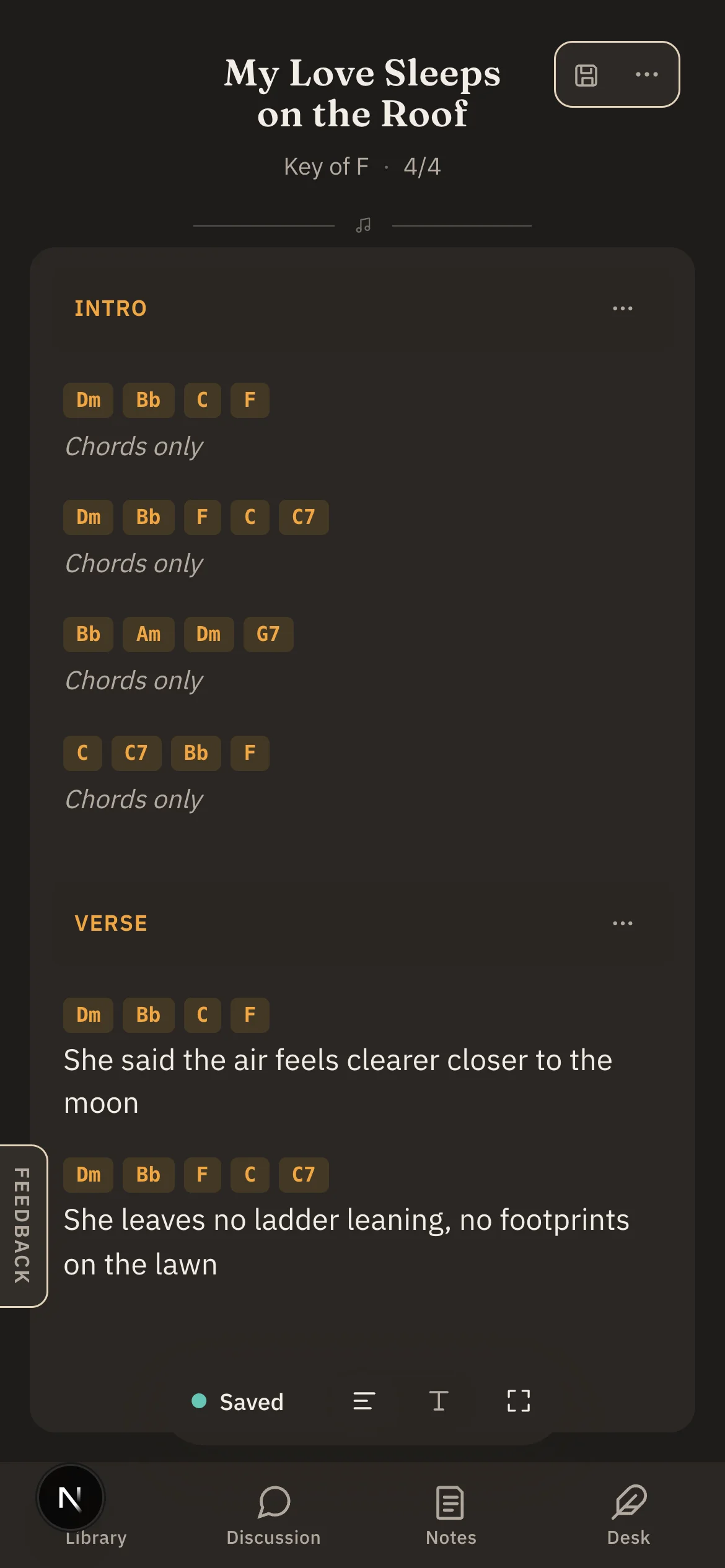
Lines is the structured chart: sections in order — Verse, Chorus, the quiet part you refuse to label — with chords set above the words they belong to. Text is a plain writing surface where the chords ride along as inline brackets; new, empty songs open there so you can just start typing.
Chords are hands-on: drag them from the chord tray — a strip that knows your key, leads with its diatonic chords in scale-degree order, and spells everything the way your key spells it — and drop them where they land in the lyric.
They’re the same song underneath. Toggle between them any time, drop into Focus when the room needs to disappear, and print a chart that reads at arm’s length on a music stand.
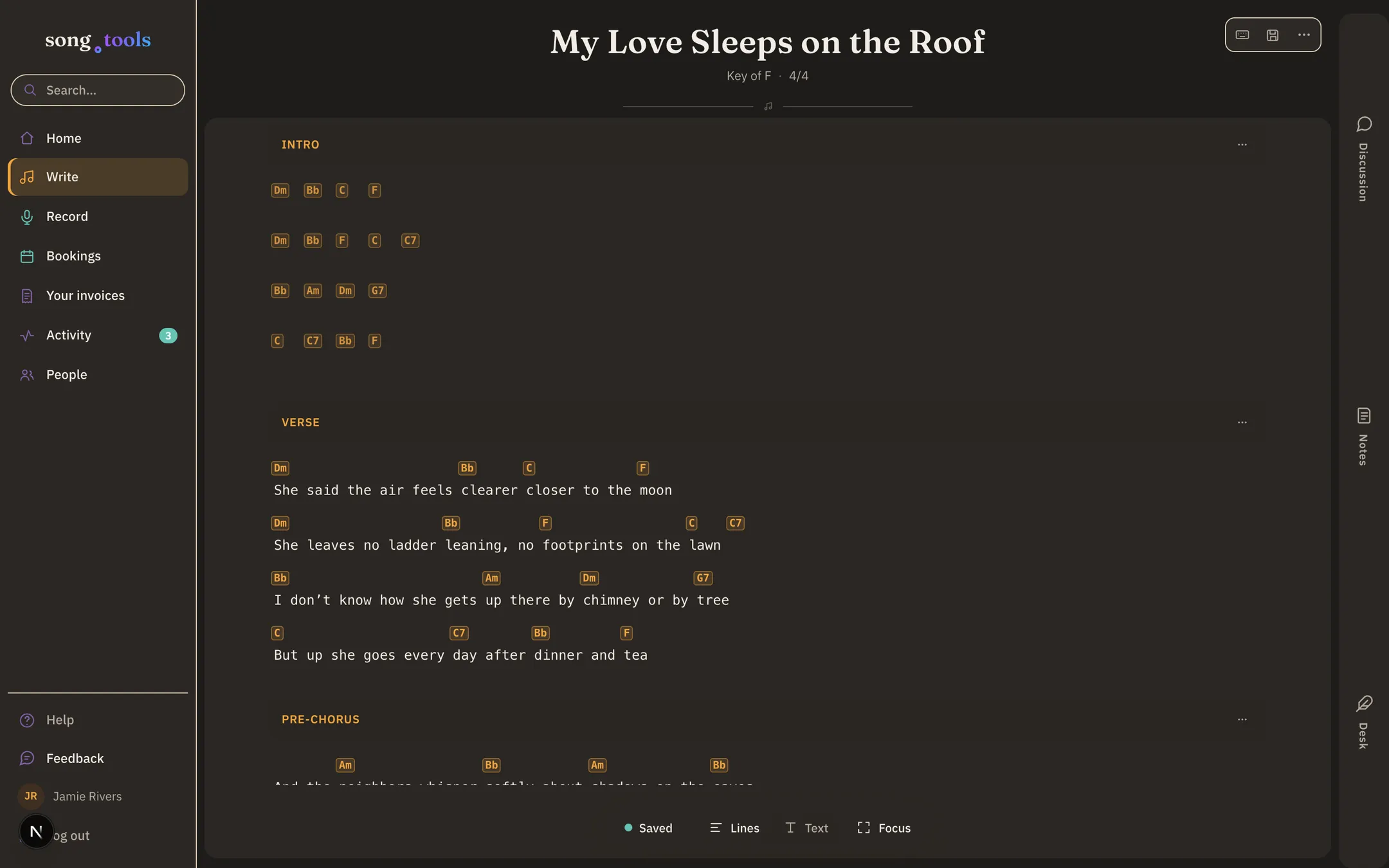
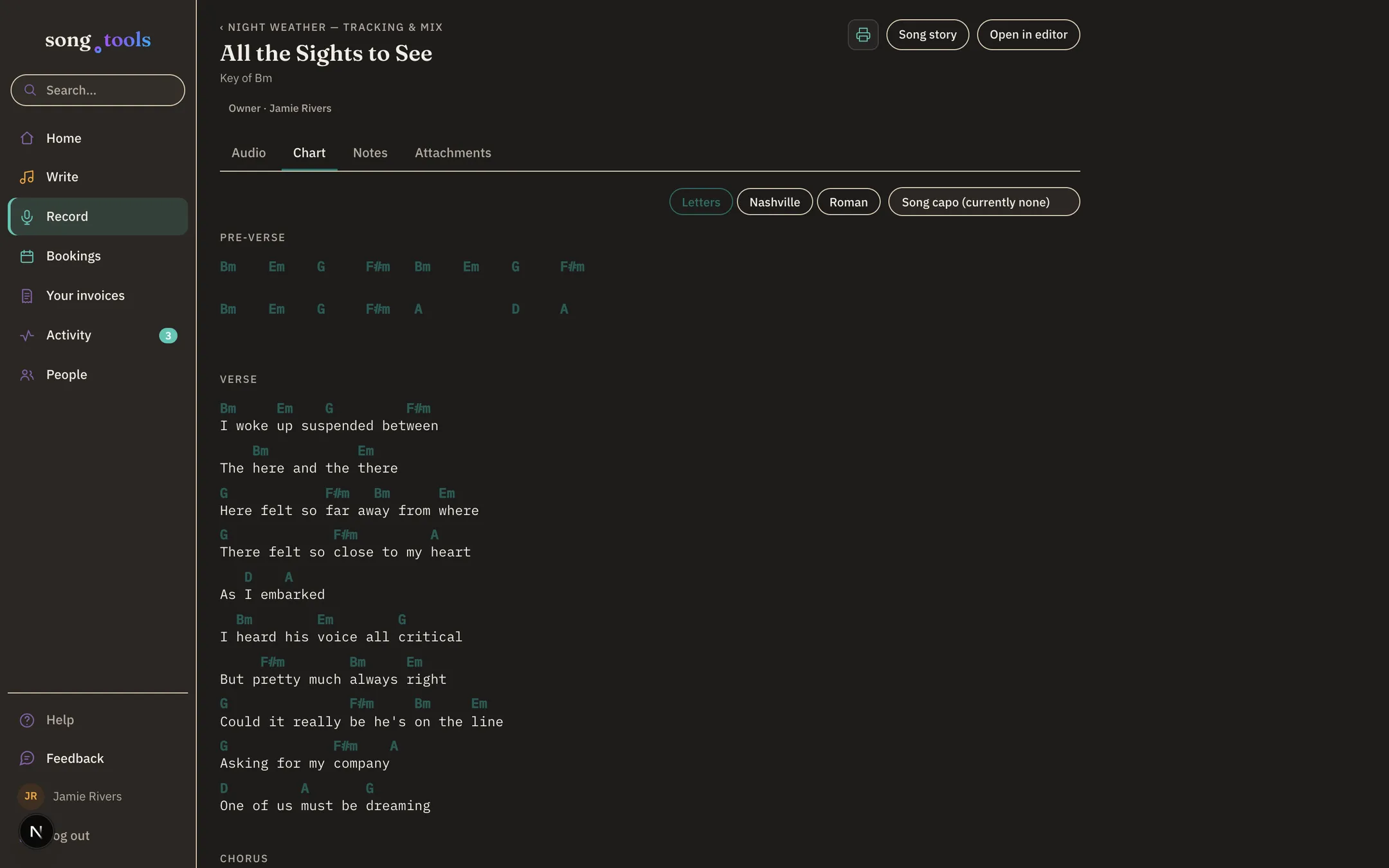
Letters, Nashville, Roman — same chart.
The chart speaks whatever the room speaks. Flip the whole song between letter chords, Nashville numbers, and Roman numerals in one tap — it’s a reading preference, not an edit, so nothing about the song changes and every viewer picks their own dialect.
Numbers need a key, and the chart already knows yours.
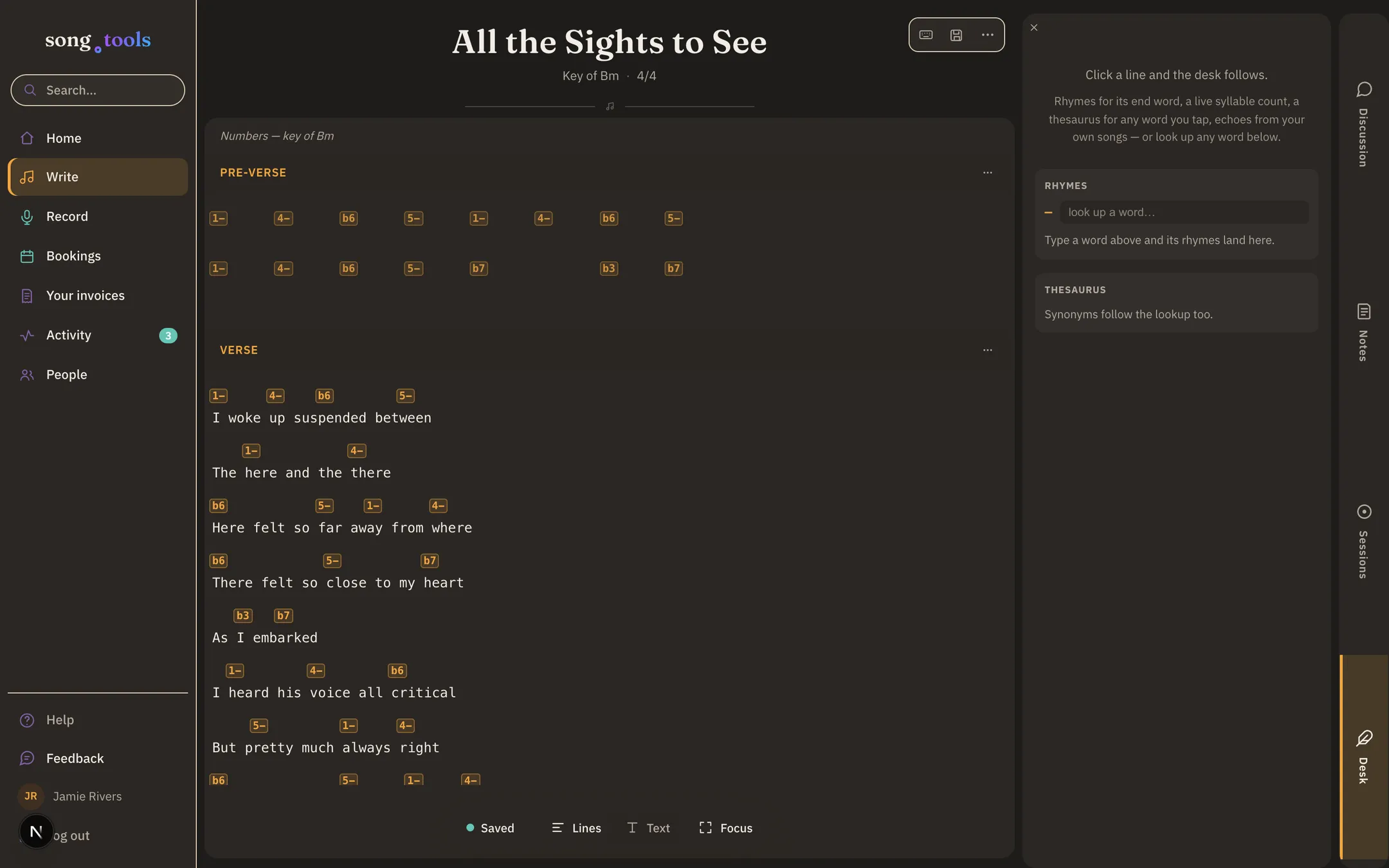
The capo calculator has guitar opinions.
Set the key, detect it from the chords, or transpose the whole chart in one move. And when it’s time to actually play the thing, the capo calculator scores every position by how many easy open chords it buys you — capo 7 turns this Bm song into C, G, D, and Em shapes.
Your original key stays untouched in the song; the capo is a way of playing it, not a rewrite.
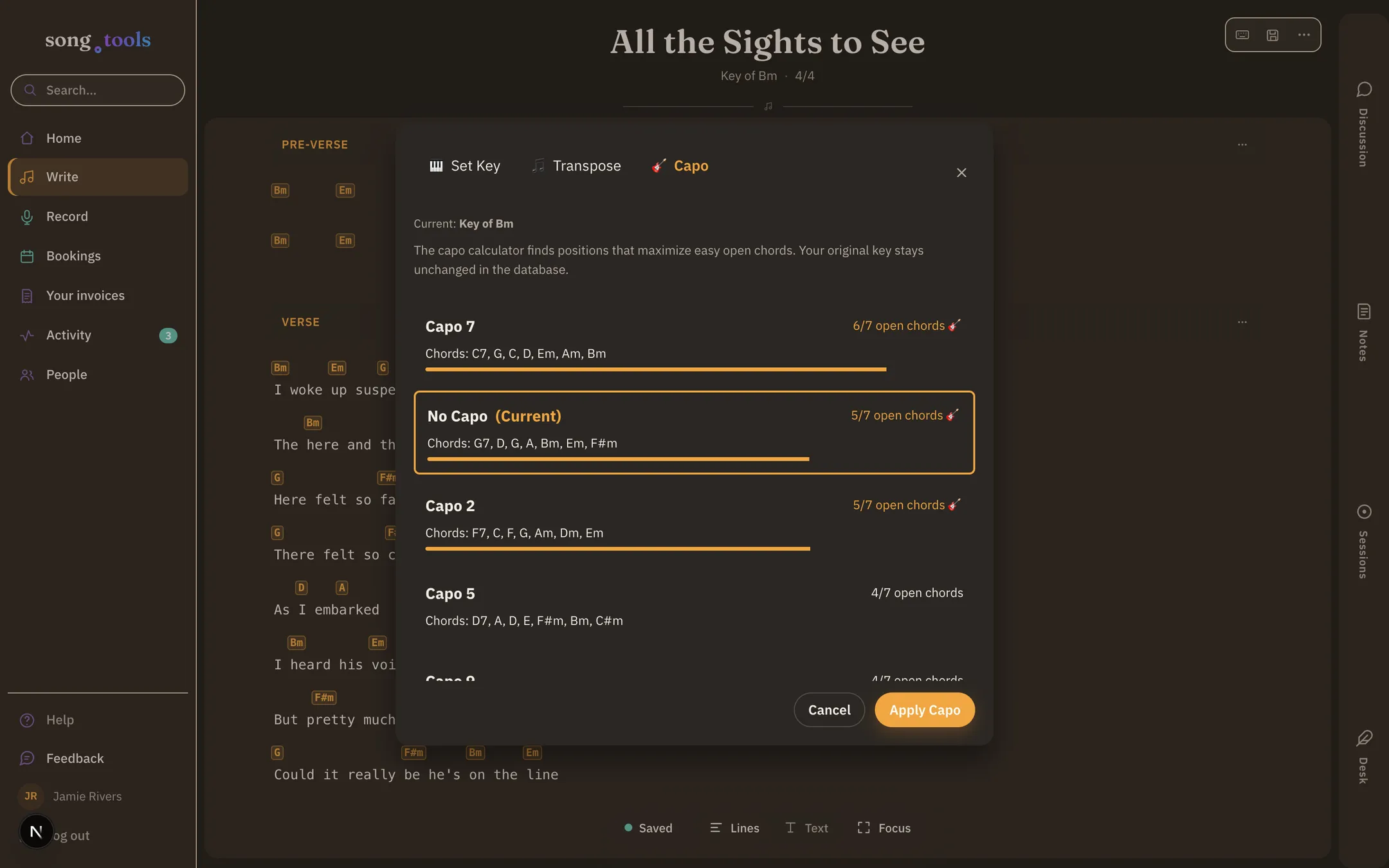
Your back catalog doesn’t need retyping.
Paste a whole song — from a doc, a note, an email to yourself at 3 a.m. — and song.tools works out the sections, the chord lines, and the structure. Bracketed headers, Chorus: labels, chords over lyrics, or nothing but stanzas: it reads them all, and it keeps your own labels as you wrote them.
You review everything in a preview — rename a section, drop one, fix a chord — before a single word is saved.
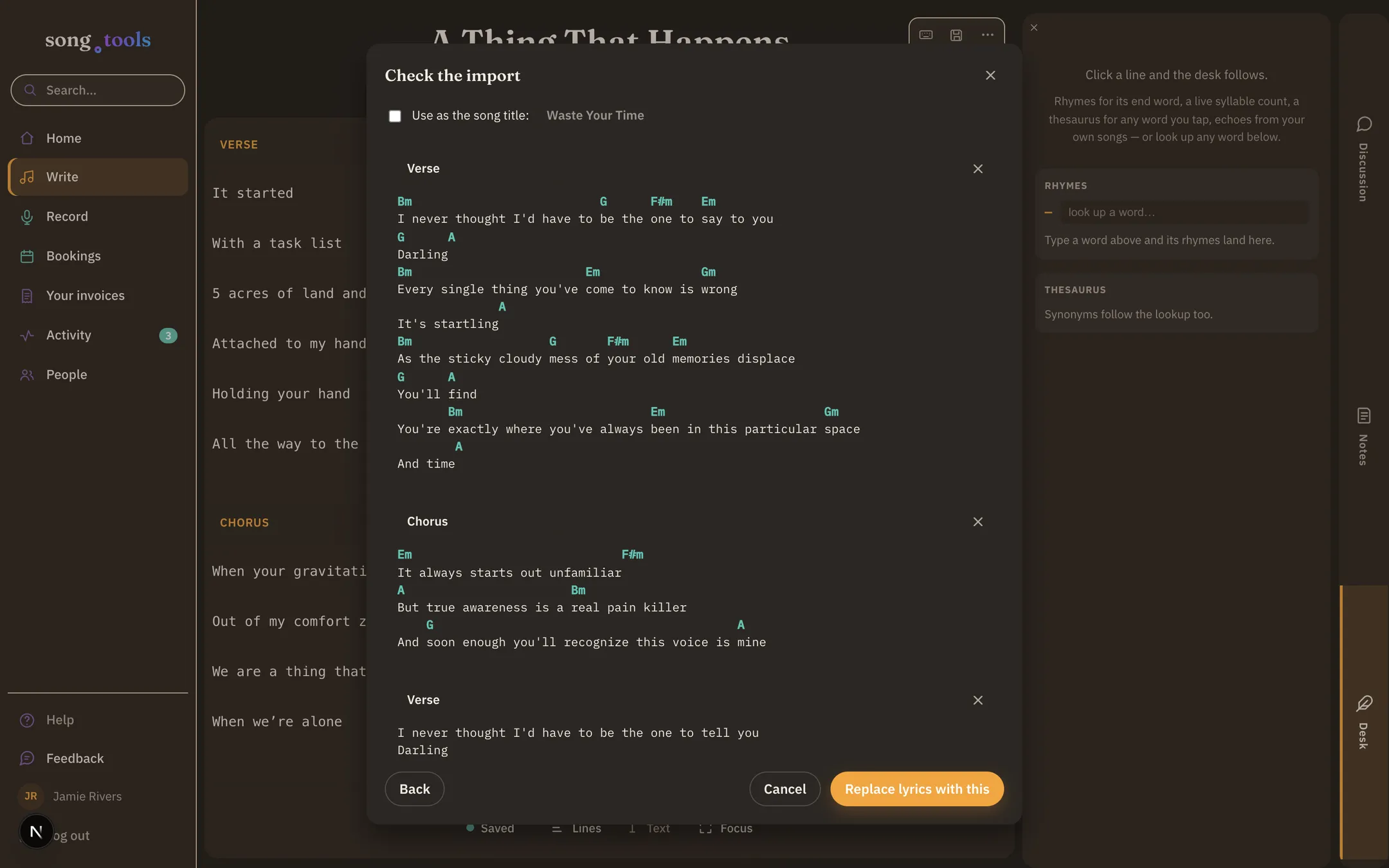
Rhymes, synonyms, syllables — and your own best lines.
The Desk sits beside your lyric (or slides up on a phone) and follows the line you’re on: perfect and near rhymes for its end word, a thesaurus for any word you tap, a live syllable count, and Fragments — lines from your own notebook that fit what you’re writing right now.
It never writes for you and never marks up your lyric. It offers; you pull in.
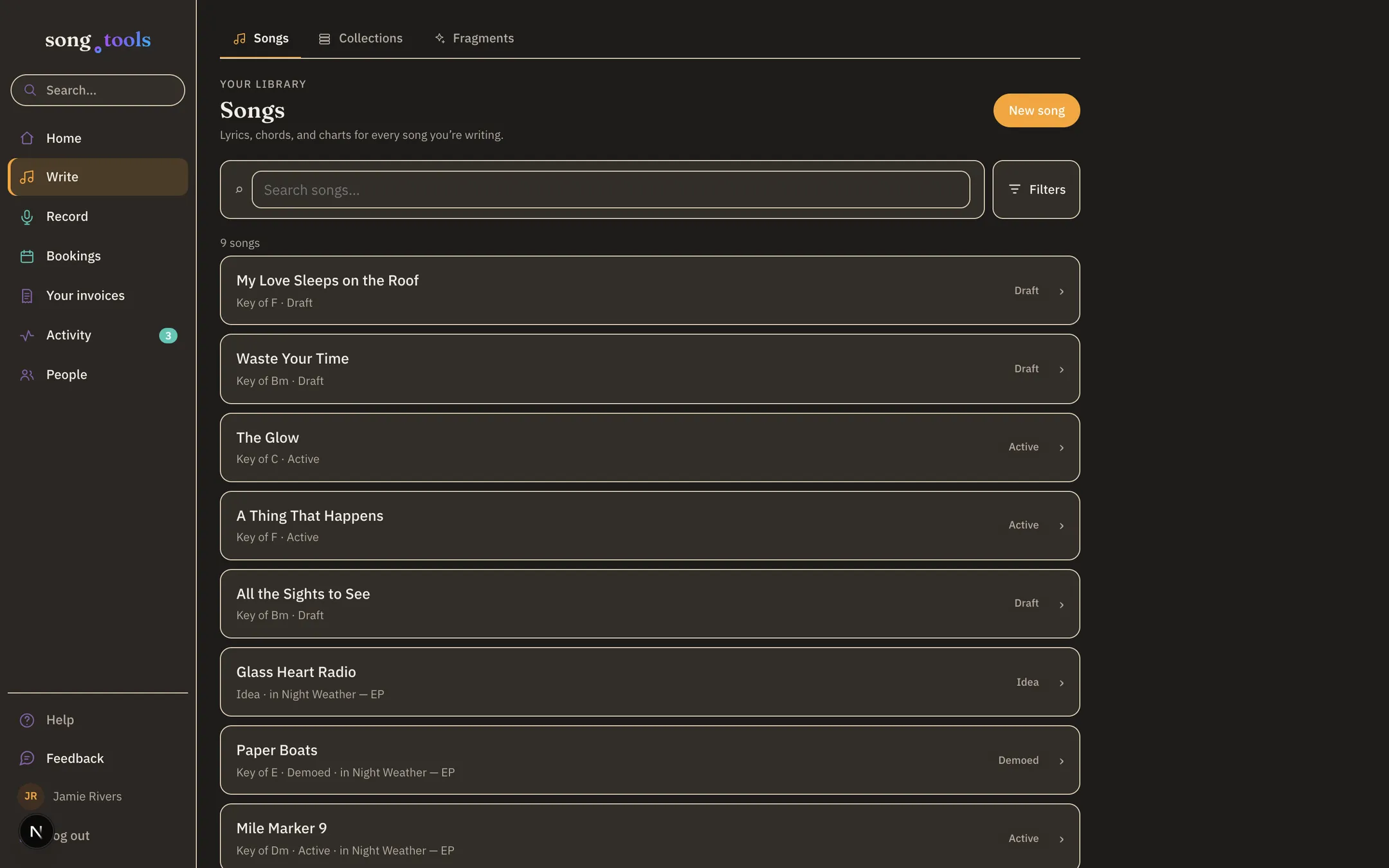
Every song you’ve written, in one place.
Songs, with status and key at a glance. Collections for the EP, the set list, the co-writing folder — share a collection and you’ve shared everything in it, including what you add later. Fragments for everything that doesn’t have a home yet.
Statuses that match how songs actually live — idea, draft, active, demoed, released — so the library reads like a studio wall, not a file system.
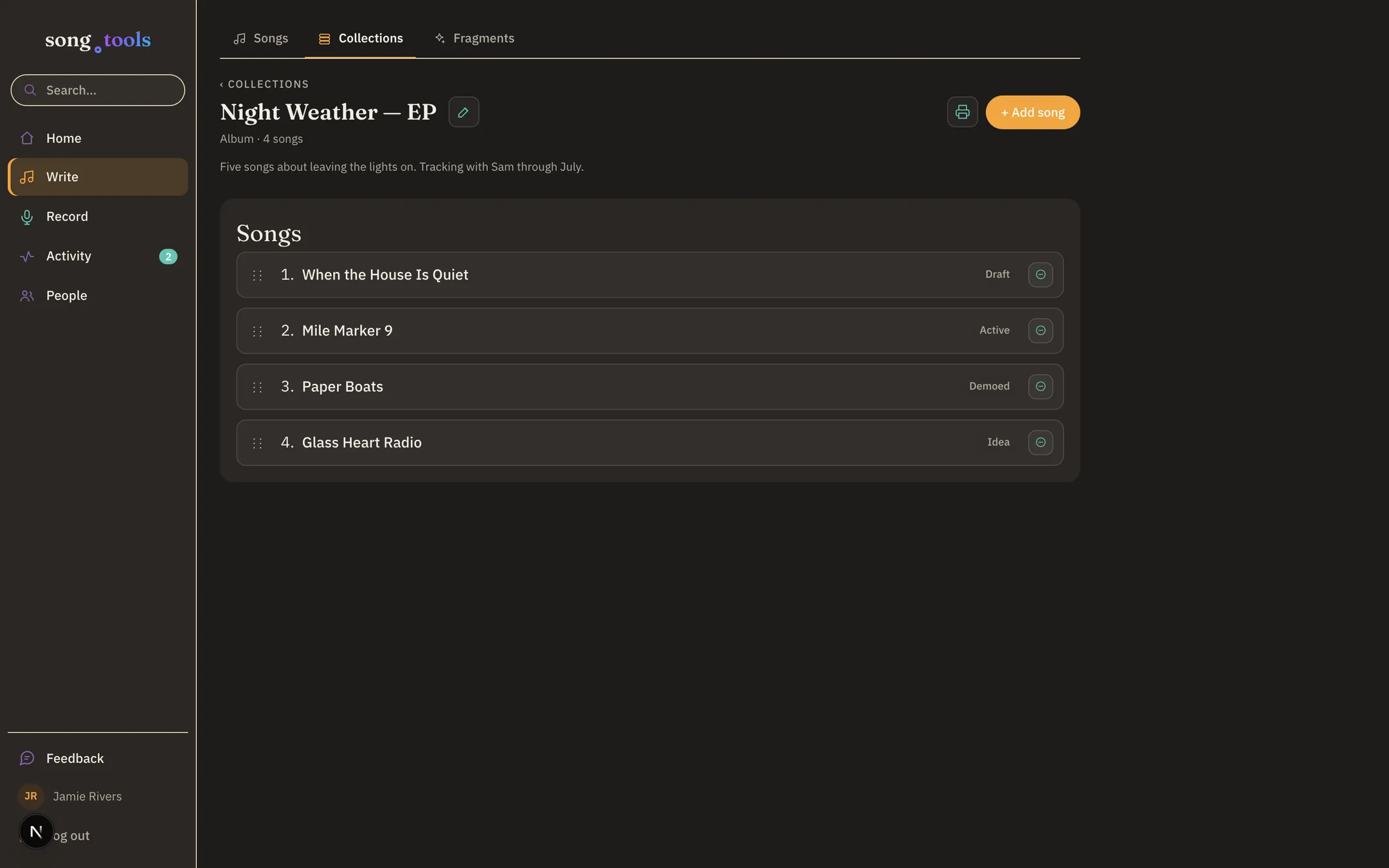
The EP is a thing. Treat it like one.
A collection holds the songs and the running order — and sharing it brings your co-writer, your band, or your producer into every song at once, with one invite. A collection editor can work on every song in it; a viewer can read and comment.
One invite, the whole set. No per-song bookkeeping.
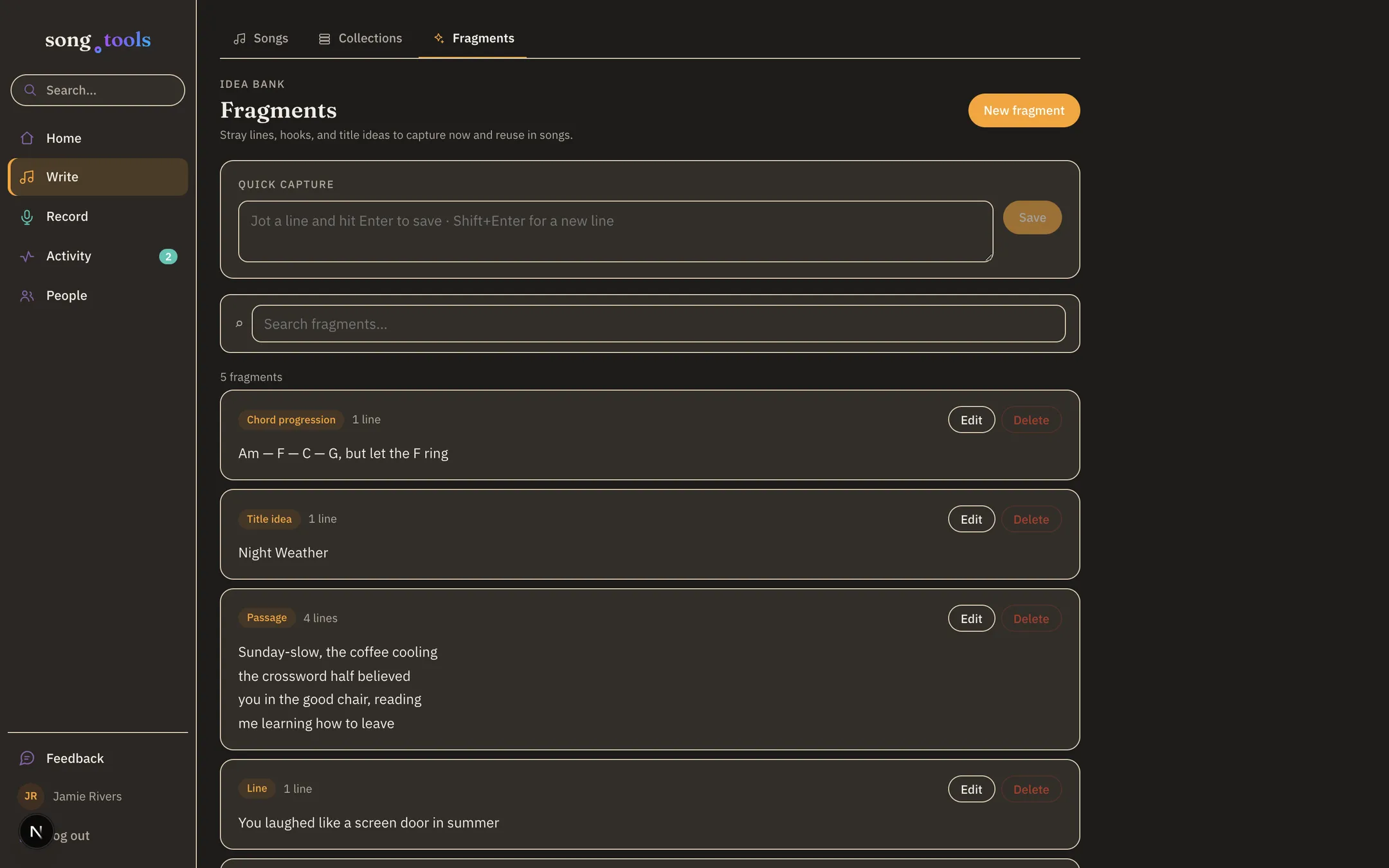
A home for the lines that don’t have one.
Hooks, couplets, title ideas, a chord run you don’t want to lose — Fragments is the notebook for all of it, typed by what it is: a line, a passage, a hook, a title, chords.
Jotting here pays off later: these are exactly what the Writer’s Desk surfaces when a fragment fits the line you’re writing.
Every song remembers how it happened.
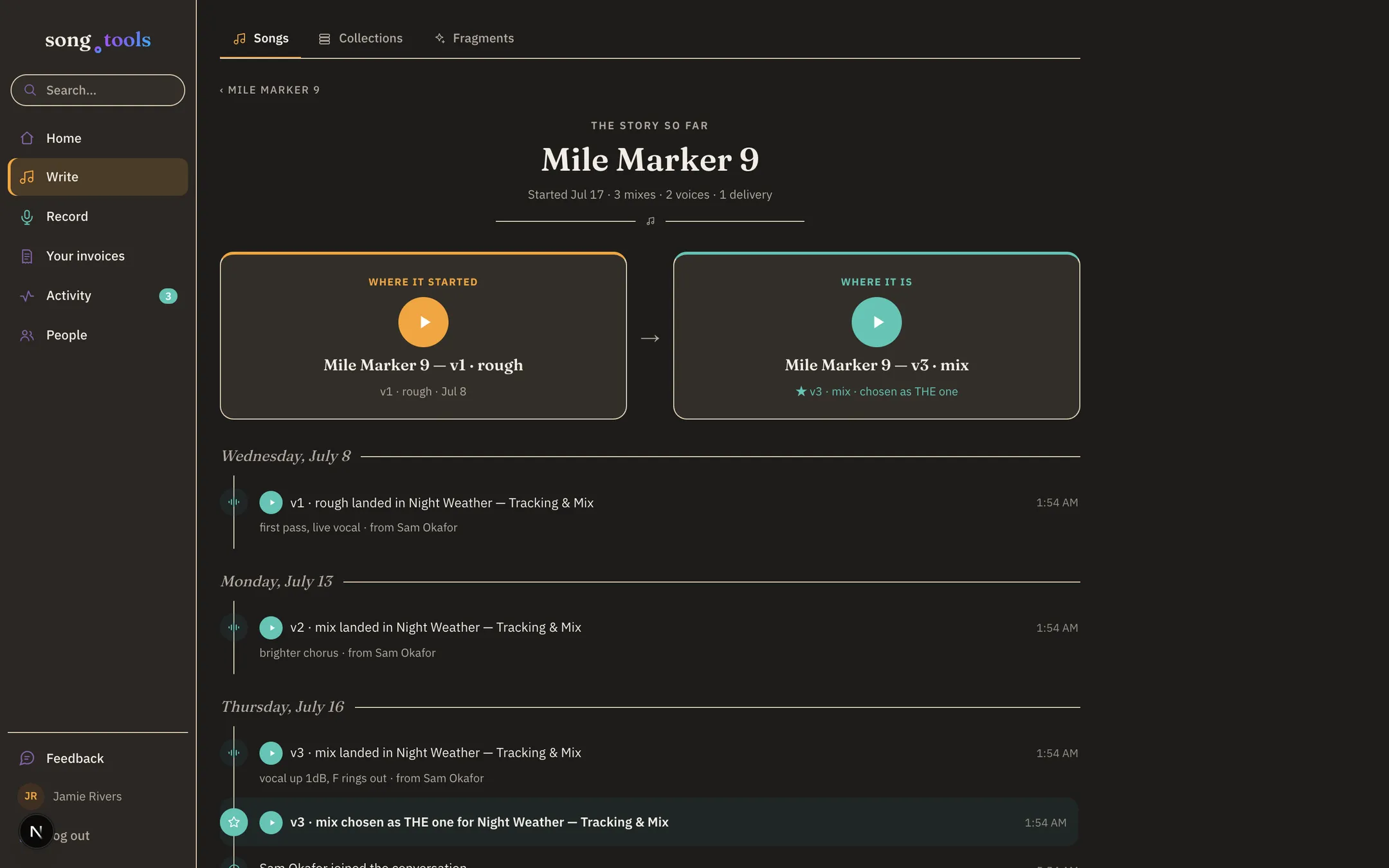
Open a song’s story and there it is — where it started and where it is now, side by side and playable, above a timeline of everything in between: the voice idea, each mix landing in the session, the note that changed the ending, the delivery.
Nobody writes this. The song keeps its own receipts.
Findable in a keystroke.
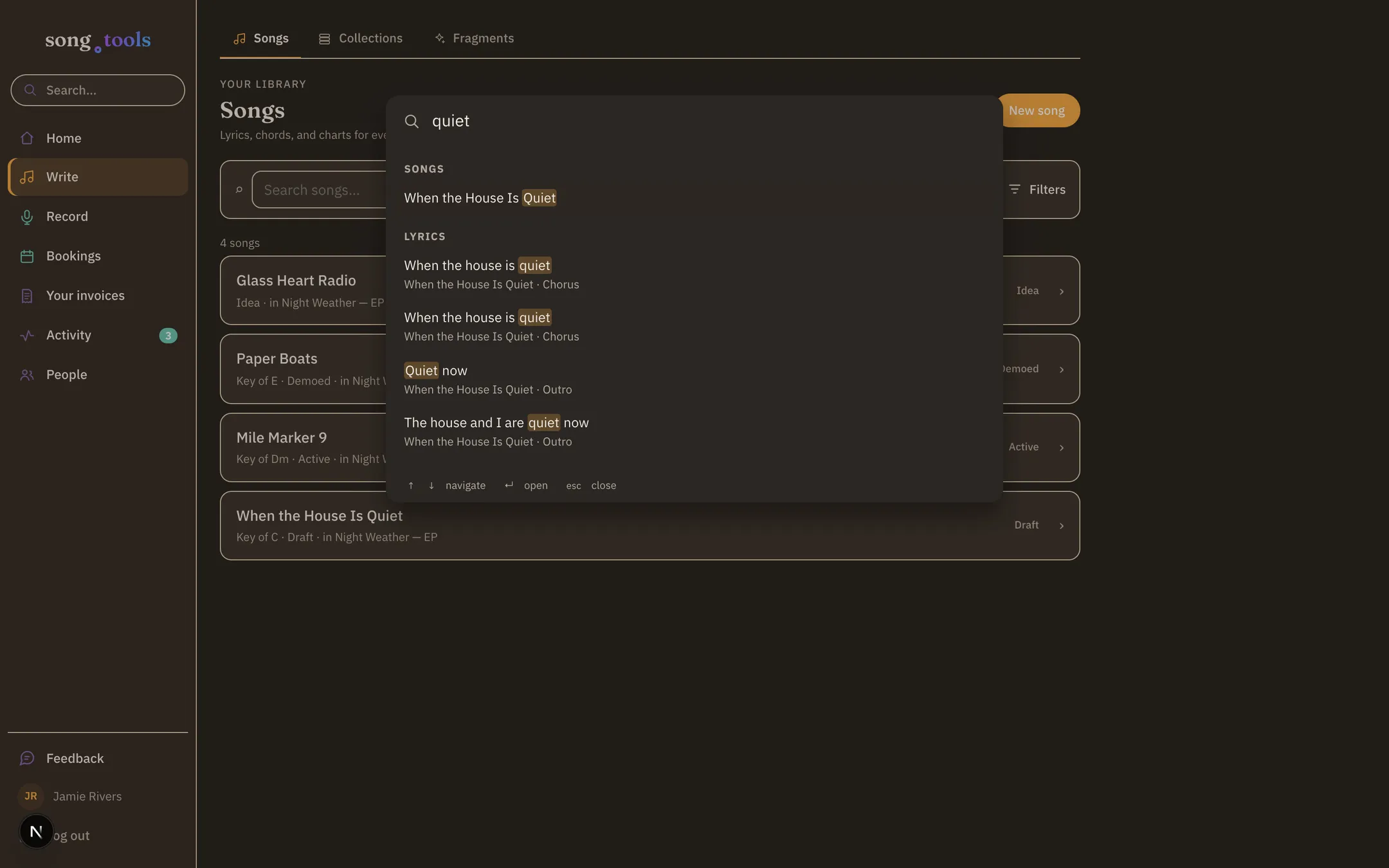
One shortcut — ⌘/ — and one search across everything: songs, lyric lines, notes, fragments, comments, attachments, sessions, collections, and to‑dos. Type the half-line you remember and land on the chorus it lives in.
Results are scoped to exactly what you can see — your co-writer’s private drafts stay private, and a session guest never surfaces your notebook.
Co-writing roles
Owner, editor, viewer — per song or per collection. Editors write, viewers read and comment, and ownership never moves without you.
Every version, kept
The notebook just remembers. Browse checkpoints, see exactly what changed line by line, pin the ones that matter, and restore without ever destroying a newer draft.
Voice ideas
Hum it before you lose it. One button records a voice idea right in the browser and keeps it with the song, playable like any other take.
Performance mode
A full-screen stage view of lyrics and chords — big type, paged columns, and page turns from the keyboard or a Bluetooth pedal.
Chords, your dialect
Letters, Nashville numbers, or Roman numerals — switch any time and the whole chart converts. Transpose in a tap, and the capo tool suggests guitar-friendly keys, so the shapes stay easy under your hands while the pitch stays where the singer needs it.
Print-ready charts
Chord-and-lyric charts that come off the printer clean — legible at arm’s length on a stand, in bad lighting, mid-session.
In the room
SessionsA project space for the EP, the single, the mix.
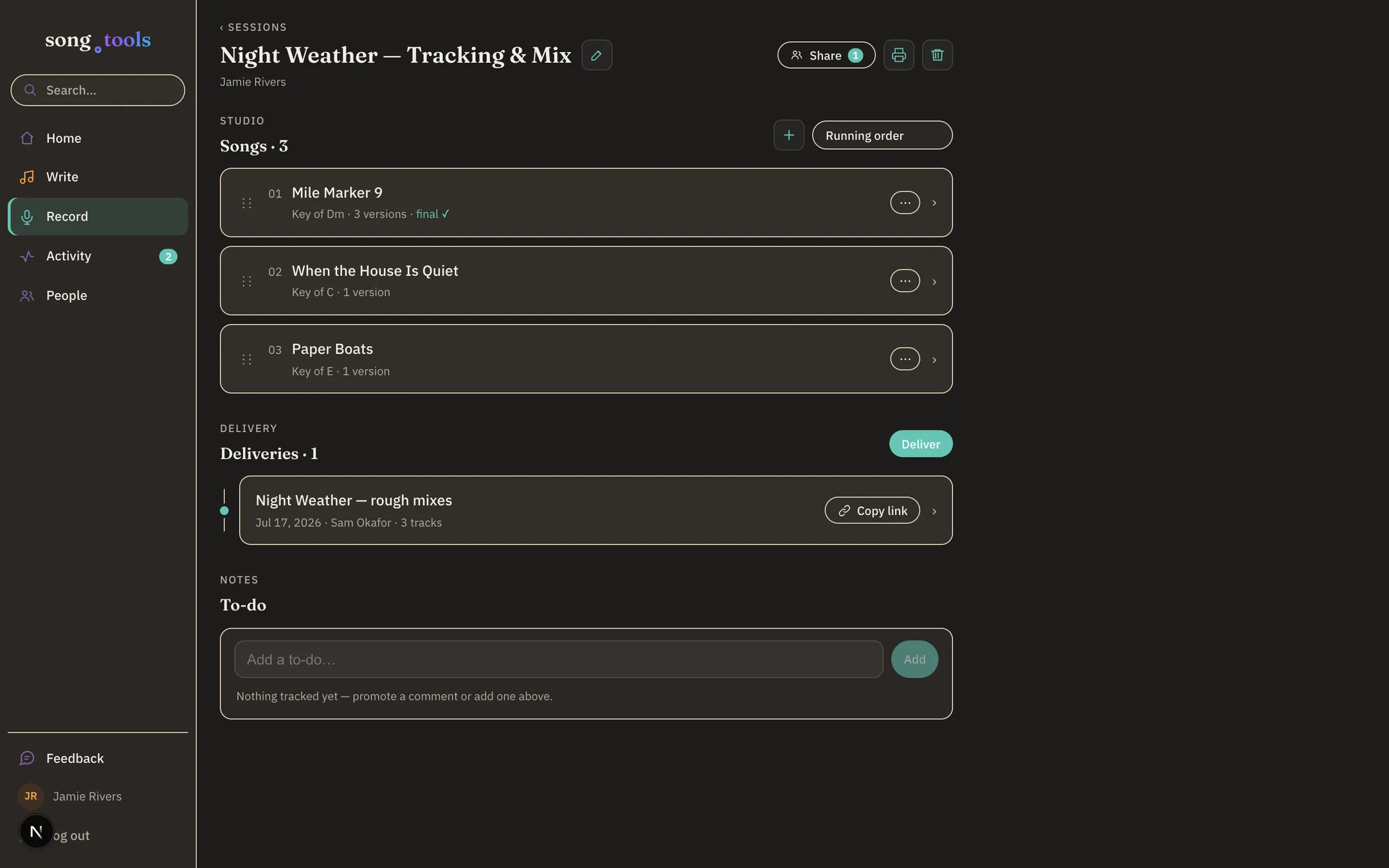
A session holds the songs in running order, the people with real roles — owner, lead, collaborator, reviewer — and everything the record accumulates: versions, notes, to-dos, deliveries.
Studios can run every client project this way. Your clients never see each other — or each other’s rough mixes.
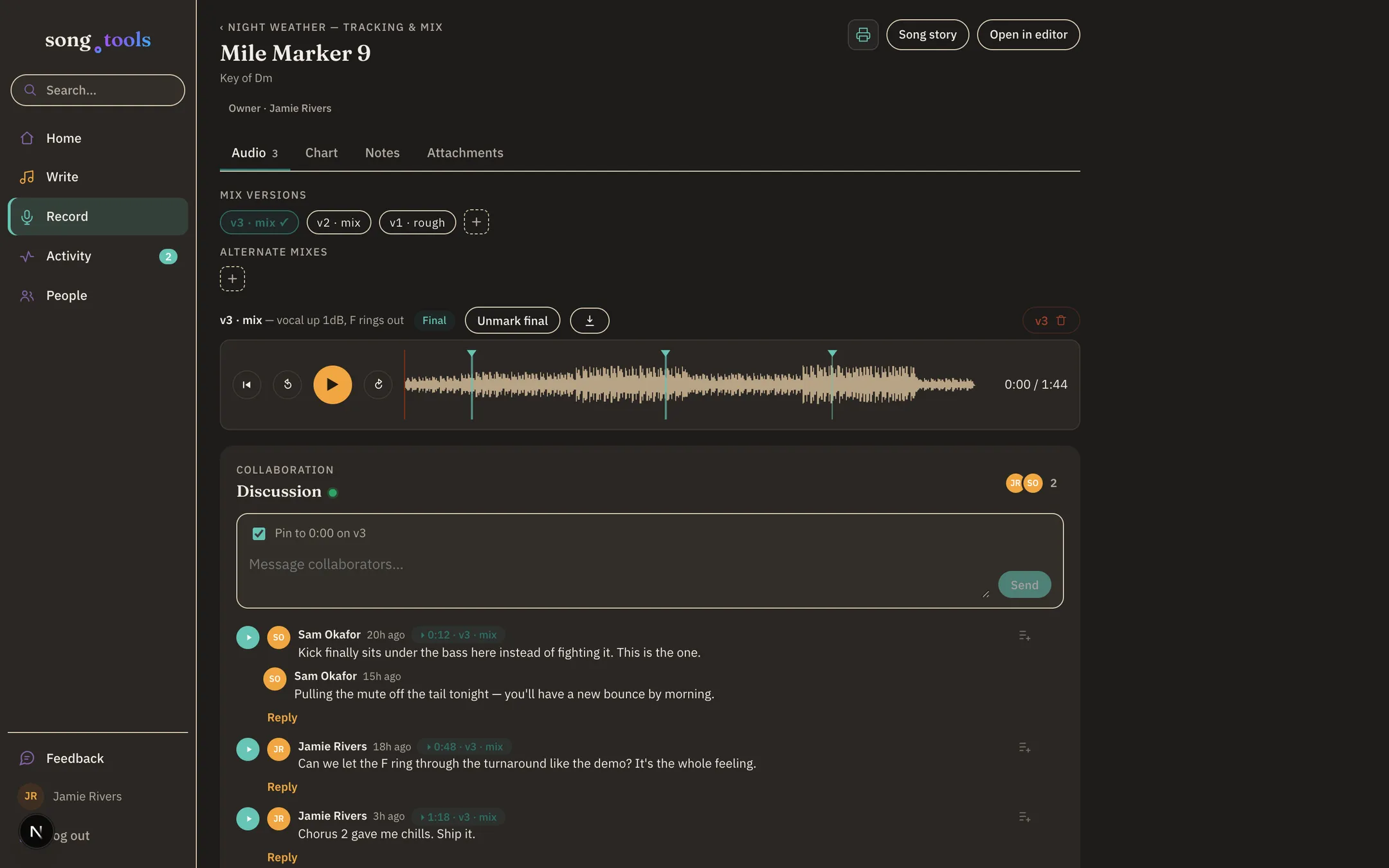
“Somewhere in the second chorus” becomes 1:18.
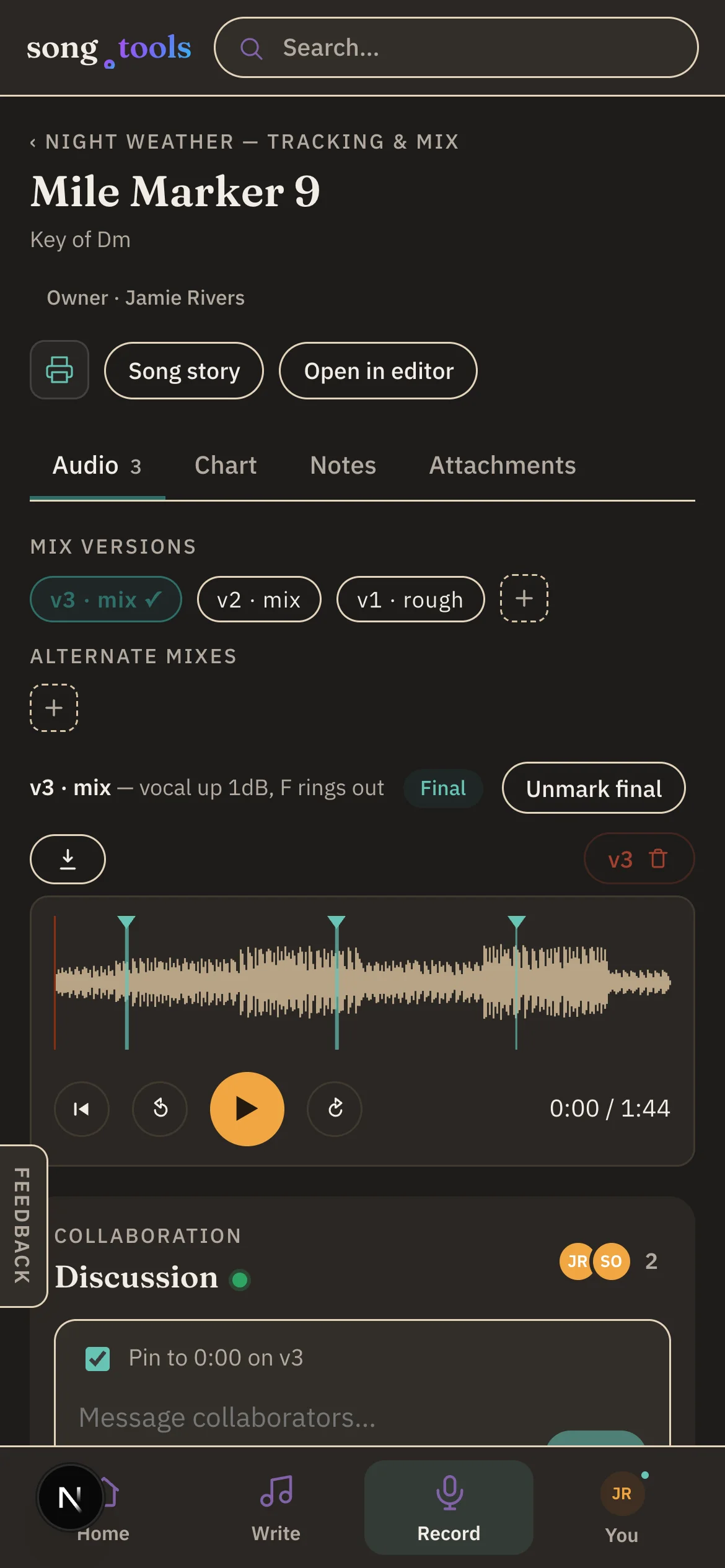
Every mix and master lives in the session as a versioned take with its own waveform — v1 rough, v2 mix, v3 marked final — and feedback pins to the exact second it’s about. Click a comment, land on the moment.
The conversation stays attached to the audio, so “which bounce were we talking about?” stops being a question anyone asks. And when a note is actually work, one tap promotes it to a tracked to‑do that still links back to the comment — and the moment — it came from.
Bring in a session musician. They walk in ready.
Invite a player to the session — or just hand them a guest link, no account needed. They hear the demo takes, see the notes pinned to their moments (“lay out until 1:18”), and open the song’s full chart right inside the session — flipping it to letters, Nashville numbers, or Roman numerals, capo applied, without touching your song.
And when they want it on paper, the chart prints clean. No “can you email me the lyrics” the night before.
The hand-off, handled — with a sleeve.
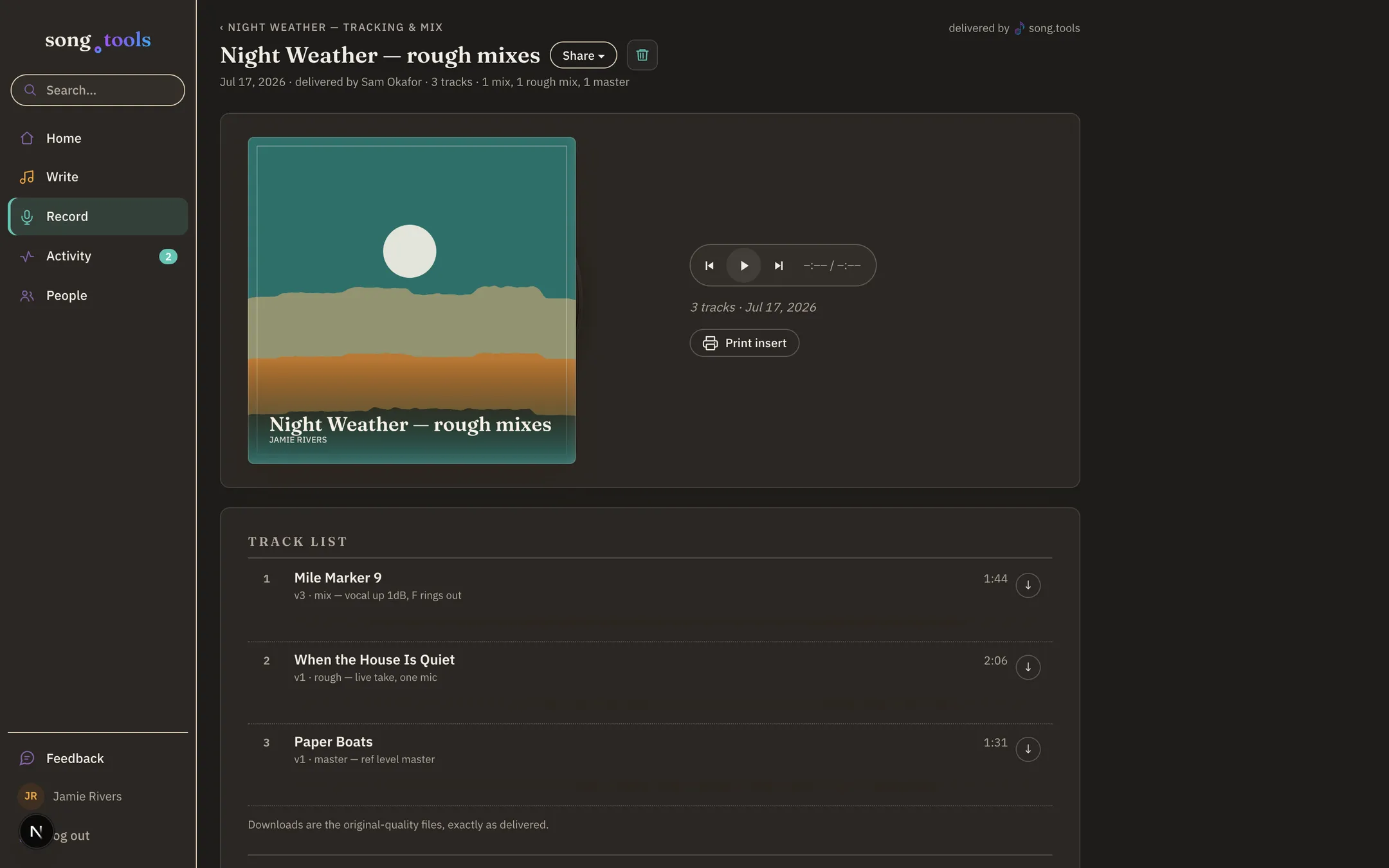
When it’s time, the studio picks a version per song, sets the tracklist order, and delivers. The artist lands on one album-style page: the cover as a jacket, the delivery note as liner notes, the session credits where credits go — and a tracklist that plays top to bottom and downloads at original quality. Press play, and the record slides out of its sleeve.
No login required for guests, no zip files over text message. And copy to cloud sends the whole delivery into the artist’s own Dropbox, Google Drive, or SoundCloud — connect once, pick a destination, done. On SoundCloud, tracks arrive as private uploads, ready to publish whenever the artist is.
Guest links
Artists without accounts get a link that just works — hear the mixes, follow the discussion, leave notes. No setup standing between the mix and the feedback.
Claiming
A song the studio starts for an artist is theirs the moment they claim it — it lands in their Library, fully editable, still connected to the session.
Session roles
Owner, lead, collaborator, reviewer — who can upload mixes, who can manage songs, who listens and comments. The room stays orderly.
Comments become to-dos
Any comment — even one pinned to 1:18 of mix v3 — promotes to a tracked to‑do. It links back to where it came from, remembers who checked it off, and sits on Home until somebody does. Works at the writing desk too.
One feed, live
Activity gathers everything that changed across your songs, sessions, and collections — new mixes, new comments, invites, finished to‑dos — grouped by day, updating live. A time-coded note deep-links to that exact second of audio.
Home knows where you were
Resume cards pick up your last song and session — “3 new comments to catch up on,” “2 new mixes to hear” — and a “needs you” row keeps open to‑dos and pending invites from slipping.
The front office
StudioYour own booking page. Your real availability.
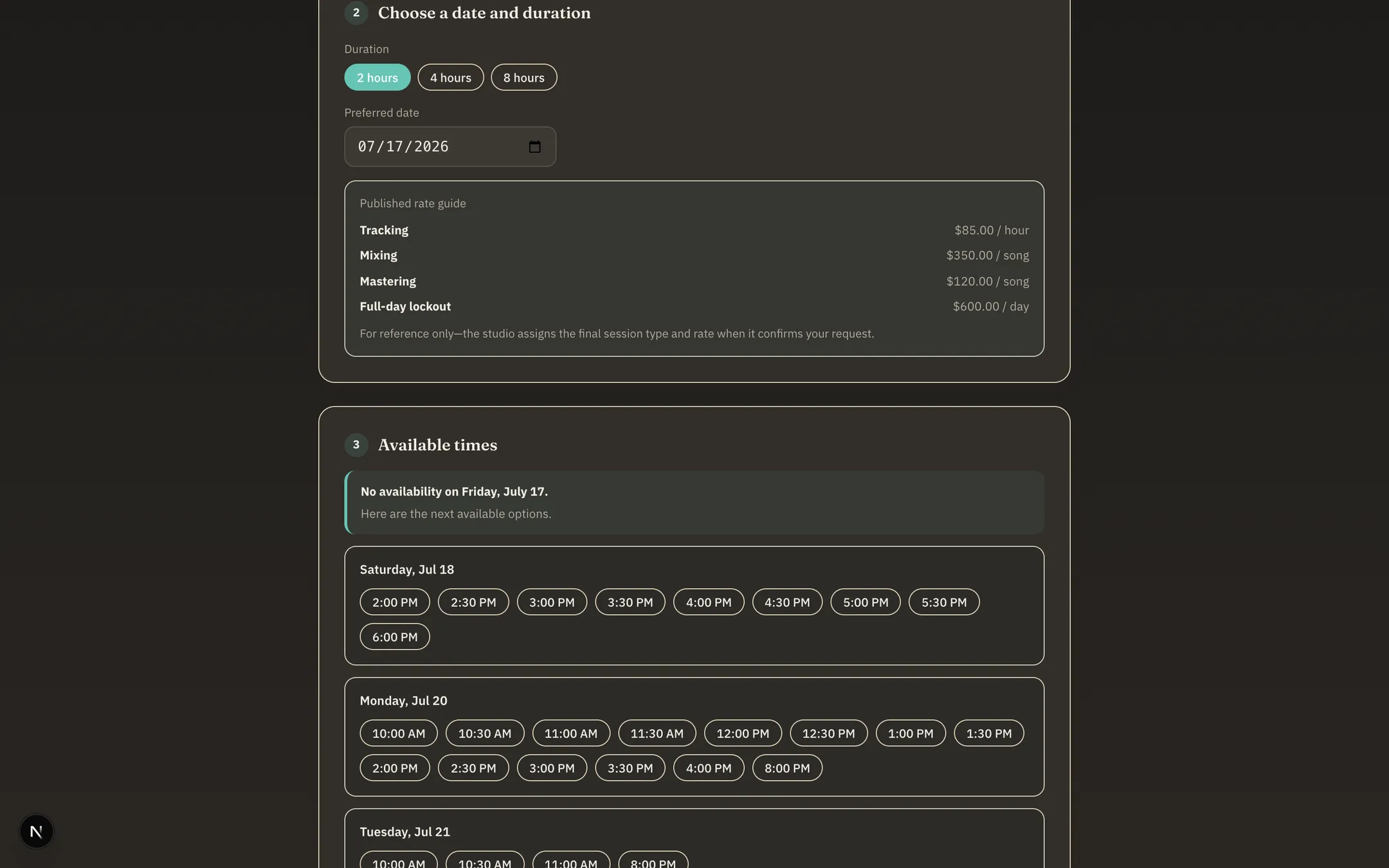
Publish your open hours and clients book you at your own address — song.tools/book/your‑studio — no account required. They pick a duration, see genuinely open times (your Google Calendar’s busy time already subtracted), read your published rate guide, and tell you about the project.
The moment they ask, the slot is held on your calendar while you review. No double-booking, no DM ping-pong.
Requests land. You decide.
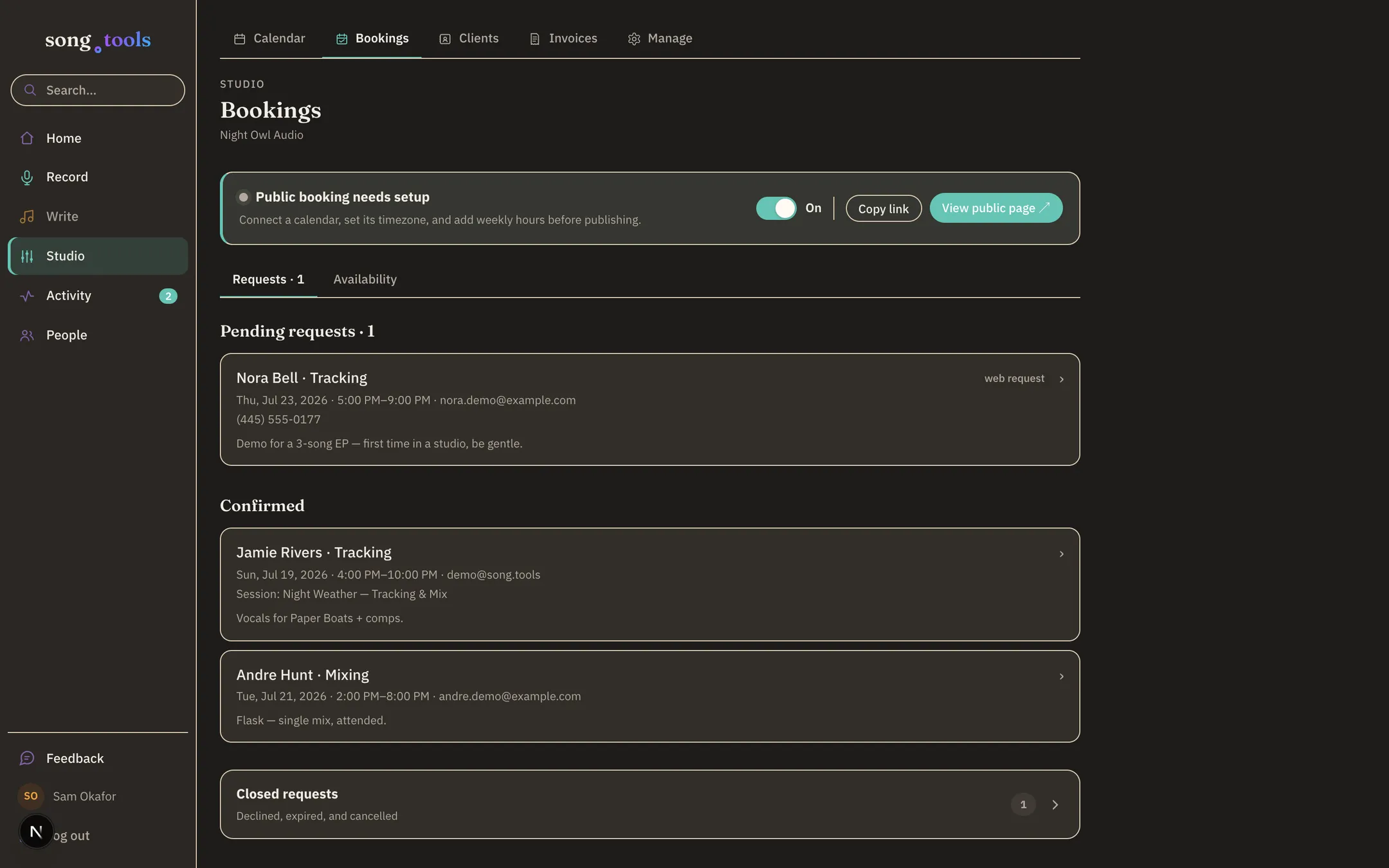
Every request arrives as a pending hold on your Google Calendar and a card on your bookings desk — who, when, what they’re making. Confirm or decline with a note; the requester hears back by email either way, and stale requests expire on their own.
Your calendar stays the source of truth — song.tools schedules around your life, not instead of it.
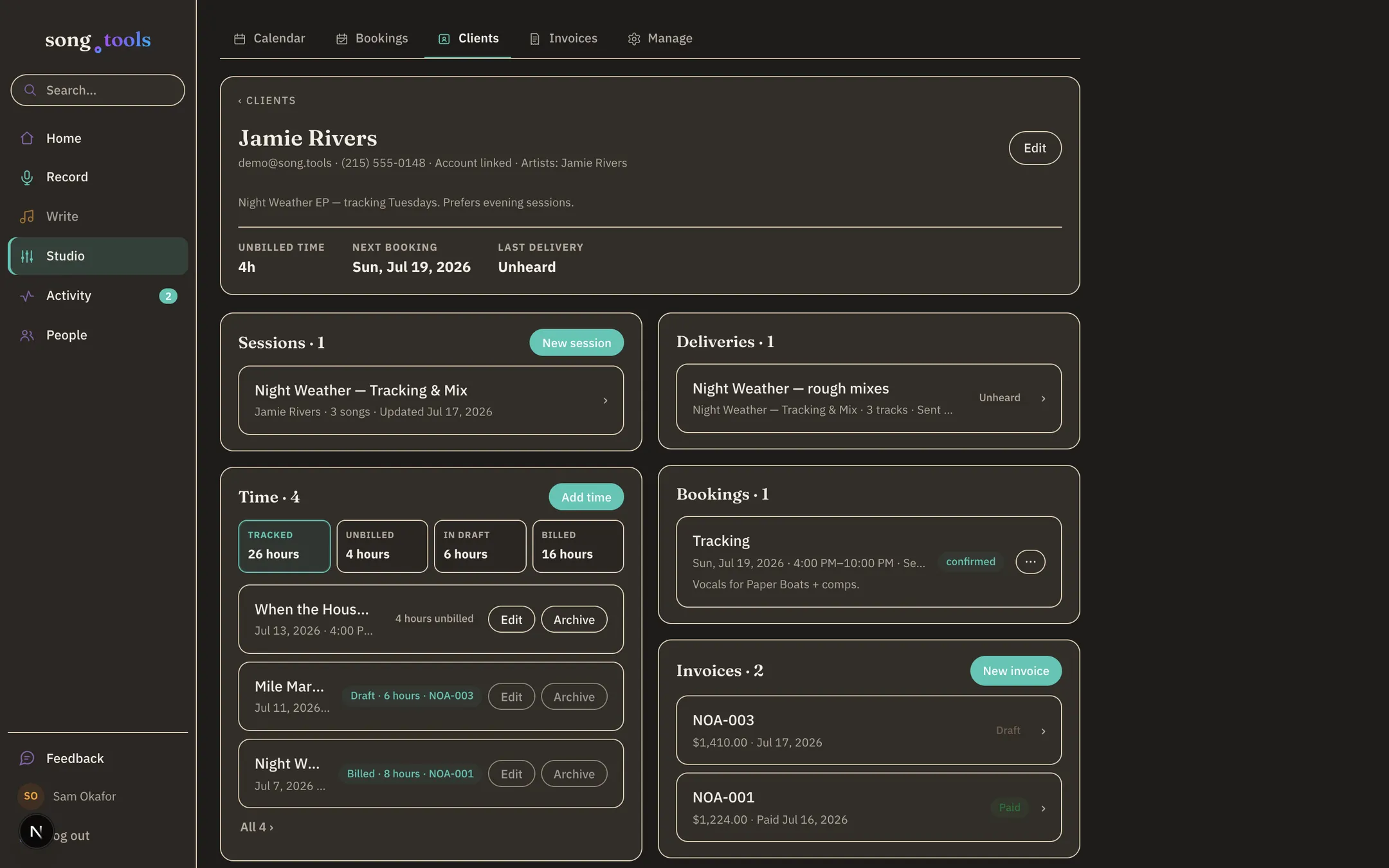
Every client, one honest page.
A client’s page holds the whole relationship: their sessions, their deliveries (and whether they’ve been heard), upcoming bookings, invoices with the outstanding balance — and a time ledger that knows what’s tracked, what’s unbilled, what’s sitting on a draft invoice, and what’s been billed.
Track time by hand in two clicks, or flag a calendar event and it books itself into the ledger.
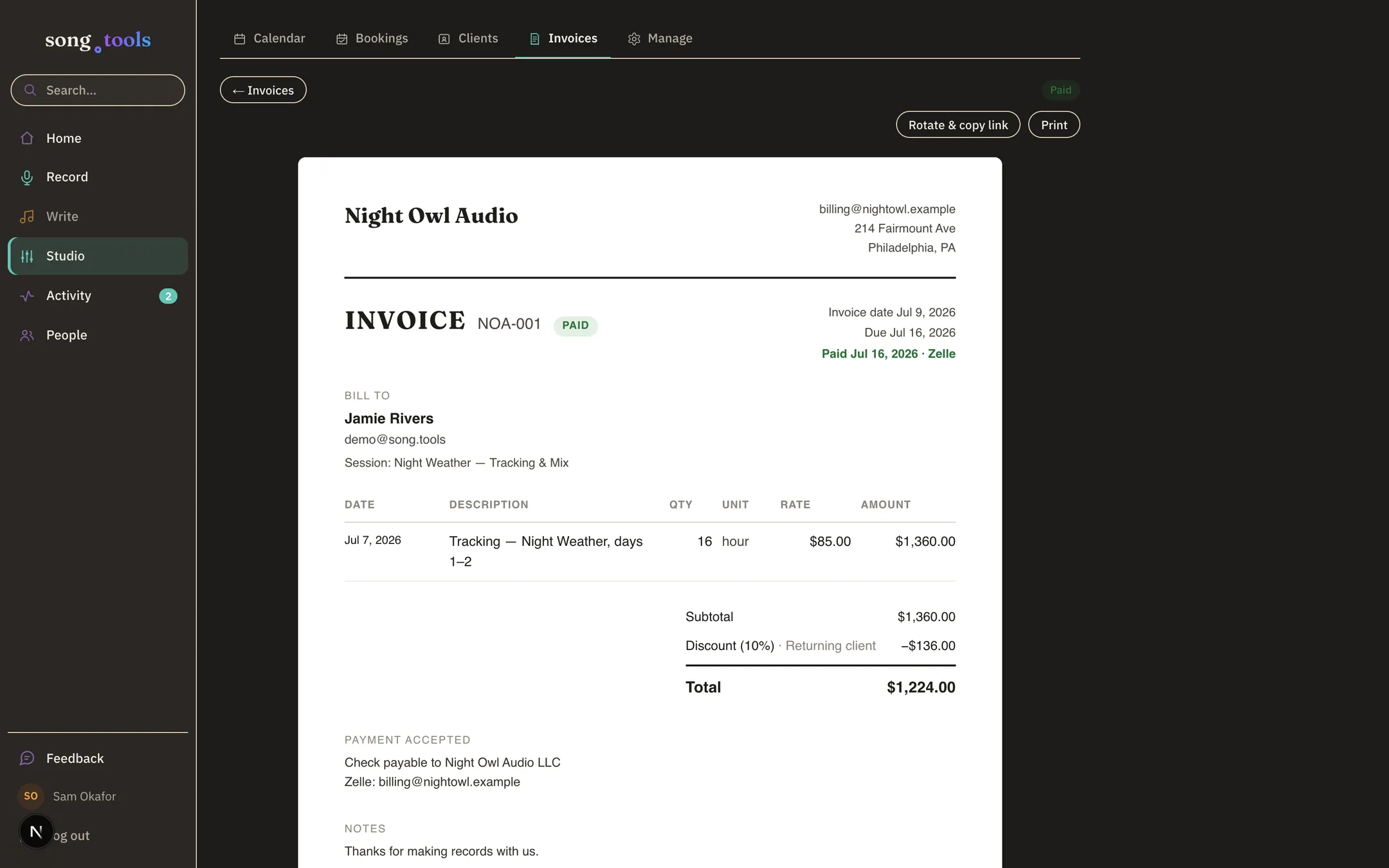
Tracked hours become a numbered invoice.
Build an invoice from your services & rates, type a line freehand, or pull the client’s unbilled tracked time straight onto it. Numbering is automatic and yours (NOA‑001, NOA‑002…), discounts are structured, and totals are computed — never typed.
Send it and the client gets a clean page of their own; print it and it’s a document. Mark it paid however you actually got paid — no processor standing between you and your money.
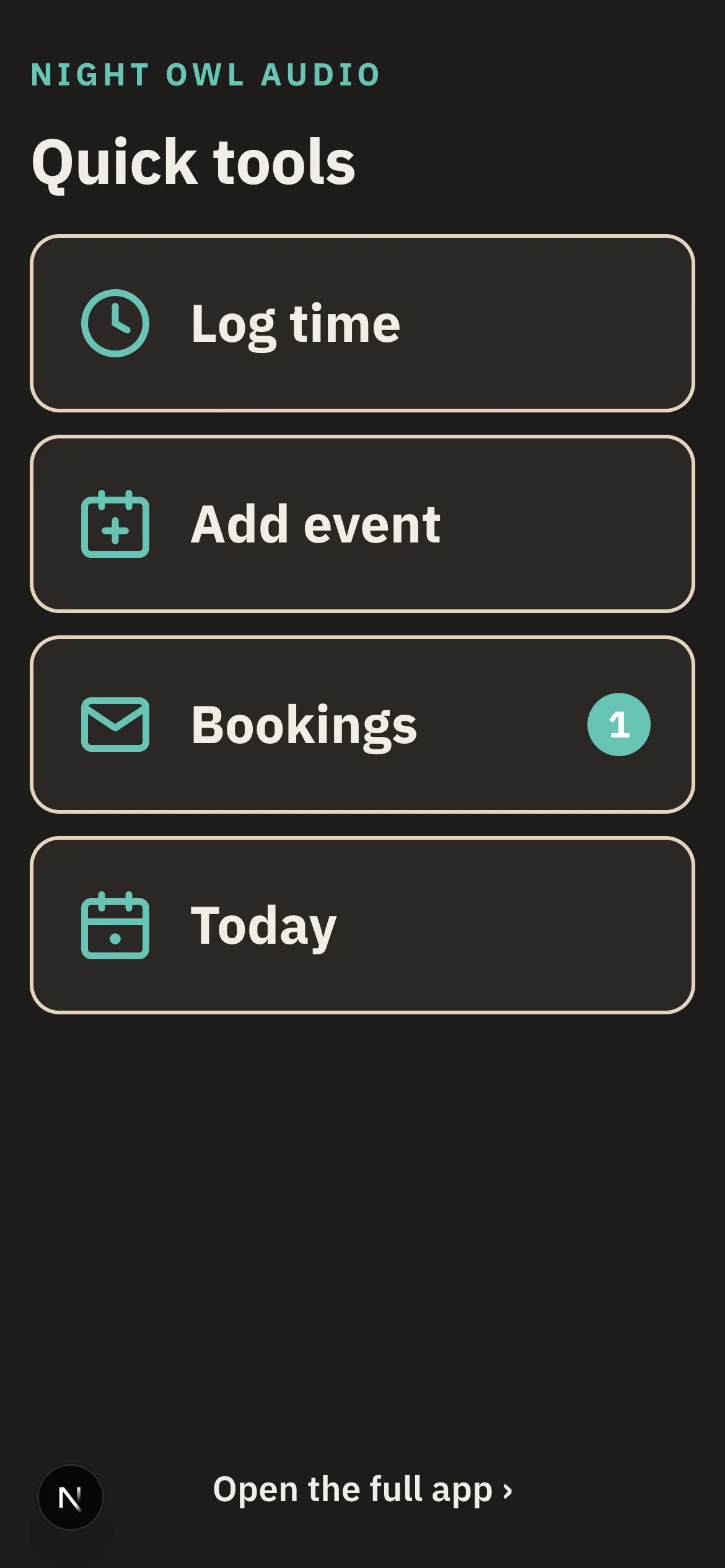
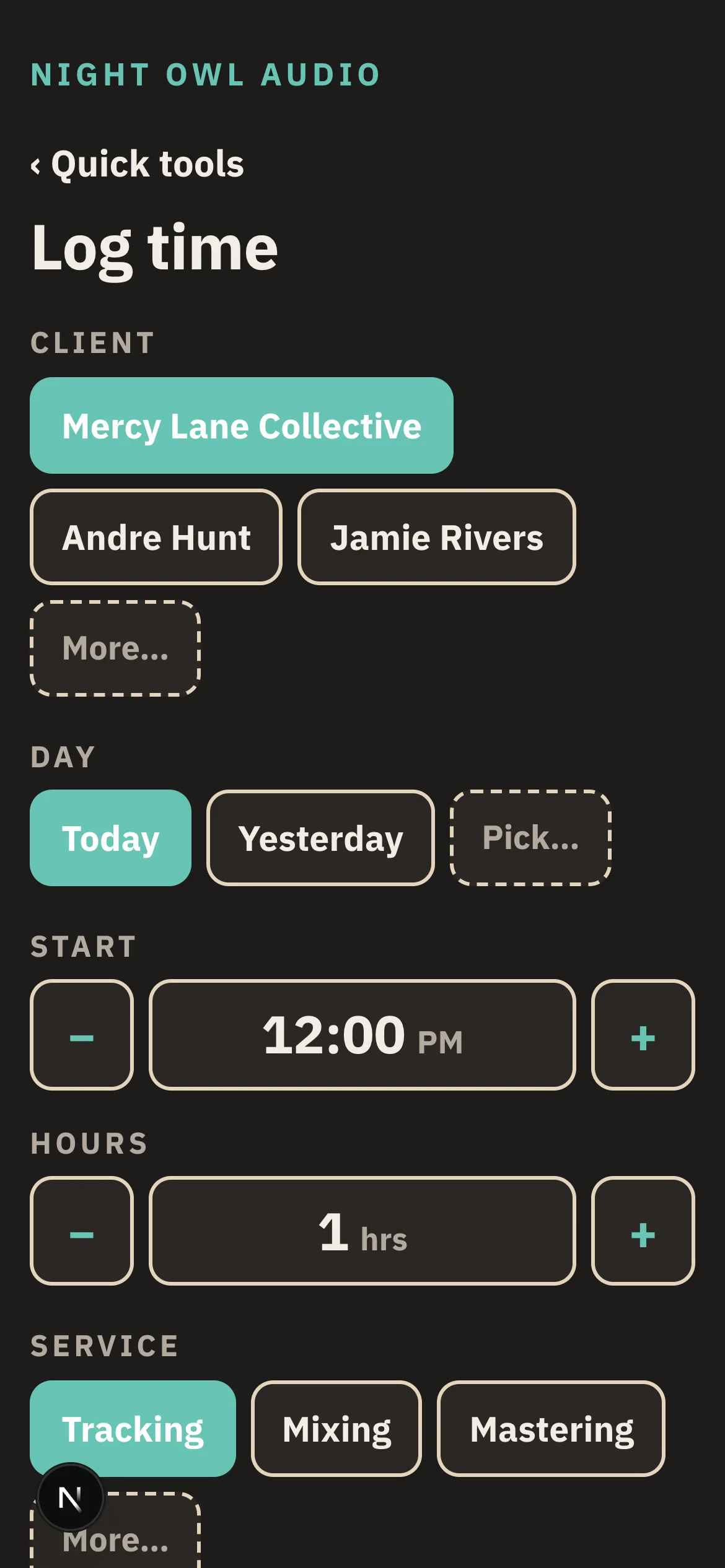
The between-takes interface.
Save song.tools/quick to your phone’s home screen and the front office collapses to four tap-first tools: log time, add an event, answer bookings, see today. Chips and steppers, no typing — client, day, hours, service, done. Back to the take.
The bookings tile carries the pending-request count, so the phone on the console tells you when somebody wants the room.
Google Calendar, both ways
Connect the studio calendar once: bookings write holds onto it, its busy time blocks the booking page, and events flagged “track time” land in the billing ledger on their own.
Your team, standing access
Invite staff once and they can run and deliver every session the studio hosts — past and future. Owners keep settings, billing, and deletion to themselves.
Listening receipts
See who played a delivery, how far they got, and what they downloaded — names for members and guests, anonymous for public links, and never an IP address.
On paper, on stage, in your pocket.
song.tools is a web app that works on any screen — and when the moment calls for no screen at all, the chart prints the way you’d want it on a music stand. Real paper, real margins, chords where they belong.
Fair questions.
When does song.tools launch?
In 2026. It’s in active development and already being used by the people building it — songwriters and the studios that record them.
Is there a waitlist or signup?
There’s no waitlist — but you can raise your hand: tell us who you are and what you’re making, and a person reads every note. First invitations go to working songwriters and studios. No newsletter, no drip campaign.
Who owns the songs?
The songwriter. Always. Sharing a song grants a role — editor or viewer — never ownership. Even a song a studio starts for an artist becomes the artist’s the moment they claim it.
What do studios get out of it?
Two things. Sessions: a project space per EP, single, or mix, with member roles, versioned mixes and masters, time-coded review, guest links, and delivery pages that hand off original-quality files. And a front office: online booking requests that hold time on your Google Calendar, client pages, a tracked-time ledger, and numbered invoices built from your services and hours.
Does song.tools process payments?
No — and that’s deliberate. Invoices are clean, numbered documents your client can view online or print; you record payment however you actually take it (check, Zelle, cash on the console). No processor fees, no middleman holding your money.
Does it work on my phone?
Yes — song.tools is a web app that works on any screen, from a studio display to the phone in your pocket. No app store required.
Can my co-writers see my session feedback (or vice versa)?
No. The song is shared between the Library and Sessions, but each space keeps its own discussion. Writing conversations stay with your co-writers; session conversations stay in the session.
 Coming soon
This is the real product. It’s nearly ready.
Every screen above is song.tools as it exists today, launching in 2026. No waitlist, no countdown — just raise your hand and tell us what you’re making; first doors open to working songwriters and studios.